Yup, I wanted to bring the RSS feed from my blog into my Nomad Network node site, so I wrote a script that handles at least WordPress and Blogspot blog feeds.
[code]
#!/usr/bin/env python3
##############################################
# Grab Micron formatted RSS Feed in Python
#
# RSS feeds embed HTML Entities which the
# existing Reticulum/Nomad Network browsers
# can’t interpret. The filters below will
# catch most of it and convert it back to ASCII
# and if you see any I’ve missed, you can just
# add another filter.
#
# You will need to install Python FeedParser
# on your Reticulum node:
#
# pip install feedparser
#
# and make sure you’ve restarted your
# Nomad Network server node and made sure
# that this file has executable permissions
# especially if you’ve given it an “.mu”
# extension.
#
##############################################
import feedparser
import re
target_URL = “https://typecast.munk.org/feed/”
page_BG_color = “fff”
page_FG_color = “000”
link_BG_color = “cc0”
link_FG_color = “963”
msg_BG_color = “eee”
msg_FG_color = “000”
feed = feedparser.parse(target_URL)
feedlist = “”
for entry in feed.entries:
entry.summary = entry.summary.replace(‘
‘, ‘\n’)
entry.summary = entry.summary.replace(‘\n\n\n’, ‘\n’)
re.sub(‘<[^<]+?>’, ”, entry.summary)
fsummary = entry.summary.replace(“[…]”, “`f`Fccc*click title to read more*`f`F000″)
fsummary = fsummary.replace(‘[‘, ‘ ‘)
fsummary = fsummary.replace(‘]’, ‘ ‘)
fsummary = fsummary.replace(‘ ‘, ‘ ‘)
fsummary = fsummary.replace(‘€’, ‘(euro) ‘)
fsummary = fsummary.replace(‘’’, ‘\”)
fsummary = fsummary.replace(‘“’, ‘\”‘)
fsummary = fsummary.replace(‘”’, ‘\”‘)
fsummary = fsummary.replace(‘–’, ‘-‘)
fsummary = fsummary.replace(‘™’, ”)
fsummary = fsummary.replace(‘ ‘, ‘ ‘)
fsummary = fsummary.replace(‘§’, ‘Section ‘)
fsummary = fsummary.replace(‘¨’, ”)
fsummary = fsummary.replace(‘£’, ‘(british pounds) ‘)
fsummary = fsummary.replace(‘¥’, ‘(yen) ‘)
fsummary = fsummary.replace(‘©’, ‘Copyright ‘)
fsummary = fsummary.replace(‘®’, ”)
fsummary = fsummary.replace(‘Ü’, ‘U’)
fsummary = fsummary.replace(‘à’, ‘a’)
fsummary = fsummary.replace(‘é’, ‘e’)
fsummary = fsummary.replace(‘ü’, ‘u’)
fsummary = fsummary.replace(‘—’, ‘-‘)
fsummary = fsummary.replace(“–”, “-“)
fsummary = fsummary.replace(“’”, “‘”)
fsummary = fsummary.replace(““”, “\””)
fsummary = fsummary.replace(‘”’, ‘\”‘)
fsummary = fsummary.replace(‘†’, ”)
fsummary = fsummary.replace(‘•’, ”)
fsummary = fsummary.replace(“…”, “..”)
fsummary = fsummary.replace(‘€’, ‘(euro) ‘)
fsummary = fsummary[0:500]
feedlist += f”`f`b`F{link_FG_color}`B{link_BG_color}`[{entry.title}`{entry.link}]`b`f`B{page_BG_color}`F{page_FG_color}\n{entry.published}\n`f`b`B{msg_BG_color}`F{msg_FG_color}{fsummary}`f`b`B{page_BG_color}`F{page_FG_color}\n\n”
print(f”’
`B{page_BG_color}`F{page_FG_color}
>> RSS Import for NomadNet
This Python script pulls an RSS Feed from the web, formats the output for Micron and displays the contents of the feed.
>> My RSS Feed
{feedlist}
`f`b`a
”’)
[/code]
Yeah, there’s a lot of finicky stripping and substitution going on for the Summary string, that’s because these feeds produce a *lot* of HTML and/or characters that break Micron browsers.
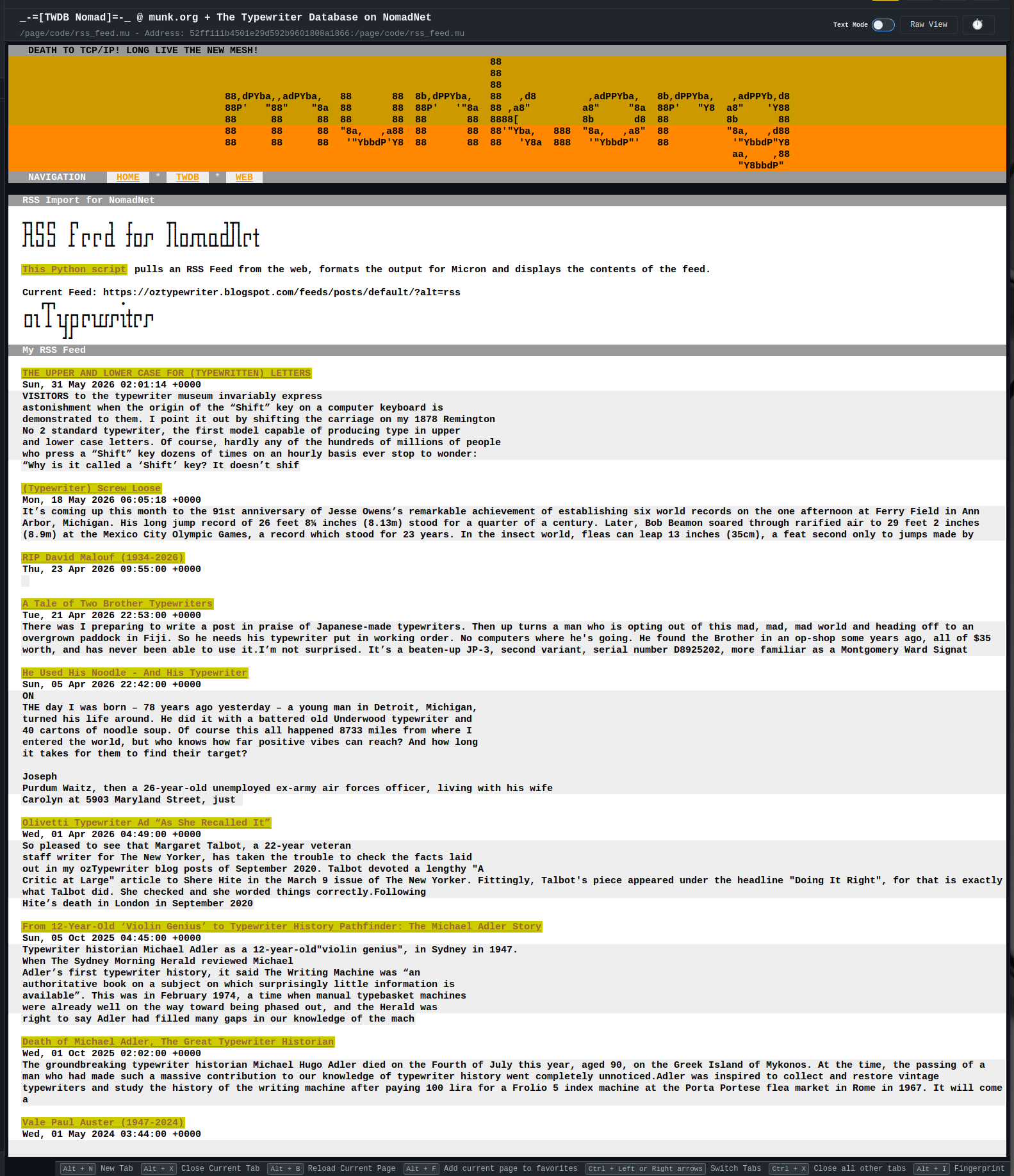
See it in action here (in your Nomad Network browser);
52ff111b4501e29d592b9601808a1866:/page/code/rss_feed.mu
where it cycles through an array of Typosphere blogs. Yes, that means that there’s a chance that TWDB Nomad could also host the Typosphere Blogroll in some form later on when that gets fleshed out.
That’s kewl! After Field Day I need to get into meshing and playing with semi-new and new to me networking.