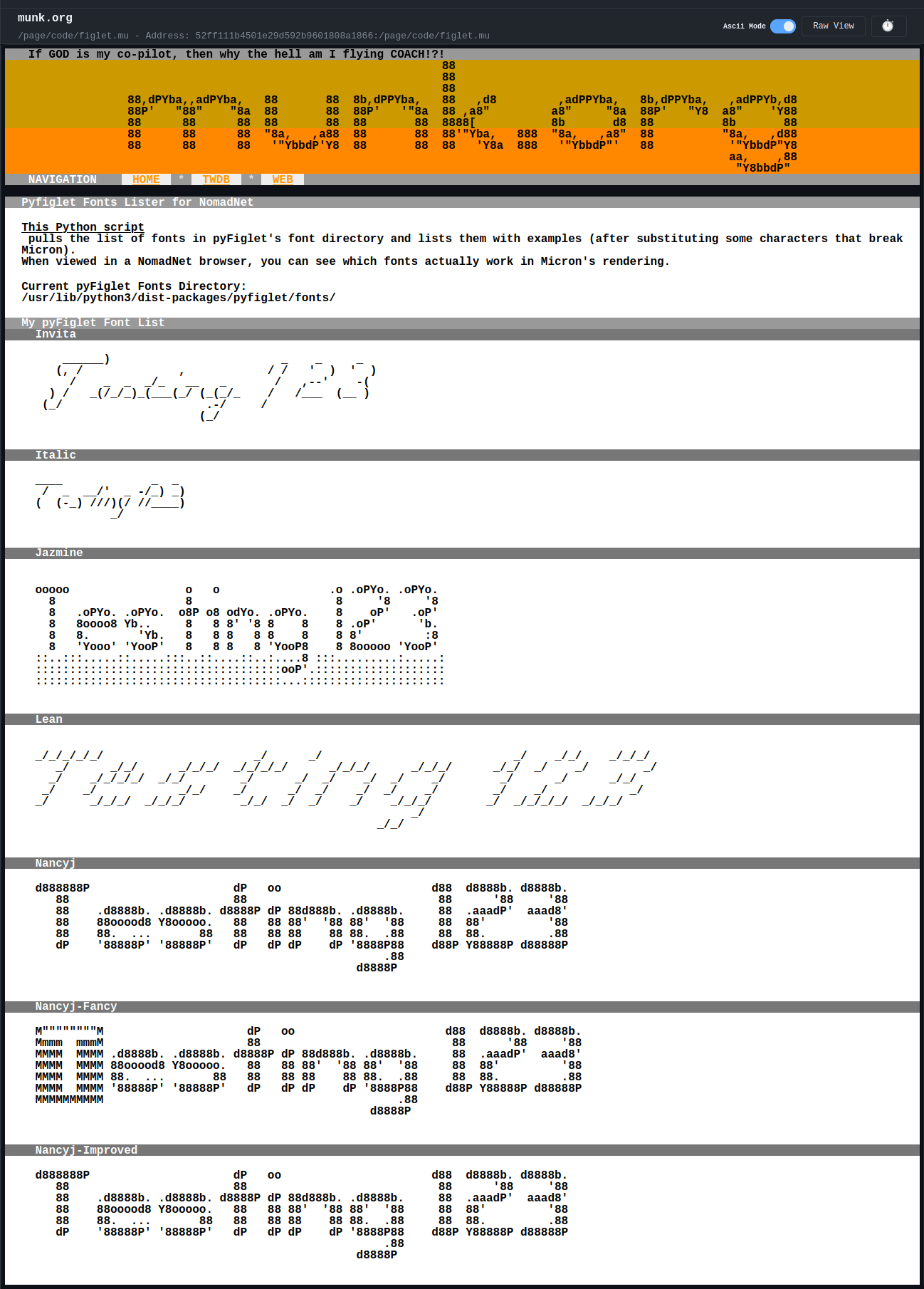
Well, I got tired of manually checking Figlet ASCII-rendered fonts to see if they work in NomadNet browsers, because they are *very* picky about what characters they’ll display, and also needed a way to auto-generate titles for the Model Lists on TWDB Nomad (52ff111b4501e29d592b9601808a1866:/page/twdb.mu). Two birds, one stone:
[code]
#!/usr/bin/env python3
##############################################
# figlet.mu (make executable)
#
# Lists installed pyFiglet fonts with samples.
# The shown fonts directory is where you can
# add more Figlet fonts.
#
# Install pyFiglet:
# pip install pyfiglet
#
# munk.org
#
##############################################
#### Grab modules
import os
import pyfiglet
from pyfiglet import Figlet
#### Define page and font colors
page_BG_color = “fff”
page_FG_color = “000”
#### Lets list the fonts
figlet = Figlet()
fonts = figlet.getFonts()
fonts = sorted(fonts)
font_out = “”
for font in fonts:
font_out += f”>>>`F{page_BG_color}”+font+”`f\n\n”
figlet = Figlet(font=str(font), width = 200)
figout = figlet.renderText(‘Testing 123’)
strip_bad = figout.replace(“`”, “‘”)
if strip_bad.startswith(“>”):
font_out += “^”+strip_bad[1:]+”\n\n”
else:
font_out += strip_bad+”\n\n”
# This shows the internal directory where built-in fonts are stored
font_path = os.path.dirname(pyfiglet.__file__) + “/fonts/”
#### and now we print it out
print(f”’`B{page_BG_color}`F{page_FG_color}
>>`F{page_BG_color}Pyfiglet Fonts Lister for NomadNet`f
This Python script pulls the list of fonts in pyFiglet’s font directory and lists them with examples (after substituting some characters that break Micron).
When viewed in a NomadNet browser, you can see which fonts actually work in Micron’s rendering.
Current pyFiglet Fonts Directory:
{font_path}
>>`F{page_BG_color}My pyFiglet Font List`f
{font_out}
`f`b`a
”’)
[/code]
See it in action here:
52ff111b4501e29d592b9601808a1866:/page/code/figlet.mu
beep boop
\\\\\\\\
_