So, fiddlin’ around with CHDK on the Powershot, as one is wont to do, and I decided to automate a crashzoom timelapse of a sign down the hill that lights up every time a car passes. I knew you could script basically every operation the camera can do, so I figured that there prolly existed a CHDK script for looping through the possible zoom settings on the camera, then autofocusing and shooting a picture at each stop.
Turns out there was one that got halfway there – it would zoom in *one* direction and was meant to also sync to a motion gimbal via USB to do a dolly+zoom crash effect. I didn’t have the USB remote dealy so I modified the CHDK script to bypass that and do what I wanted – loop forward, *then* back, without jamming up the lens. Also fixed a bug that locked up the lens because a sanity check wasn’t done in the right place.
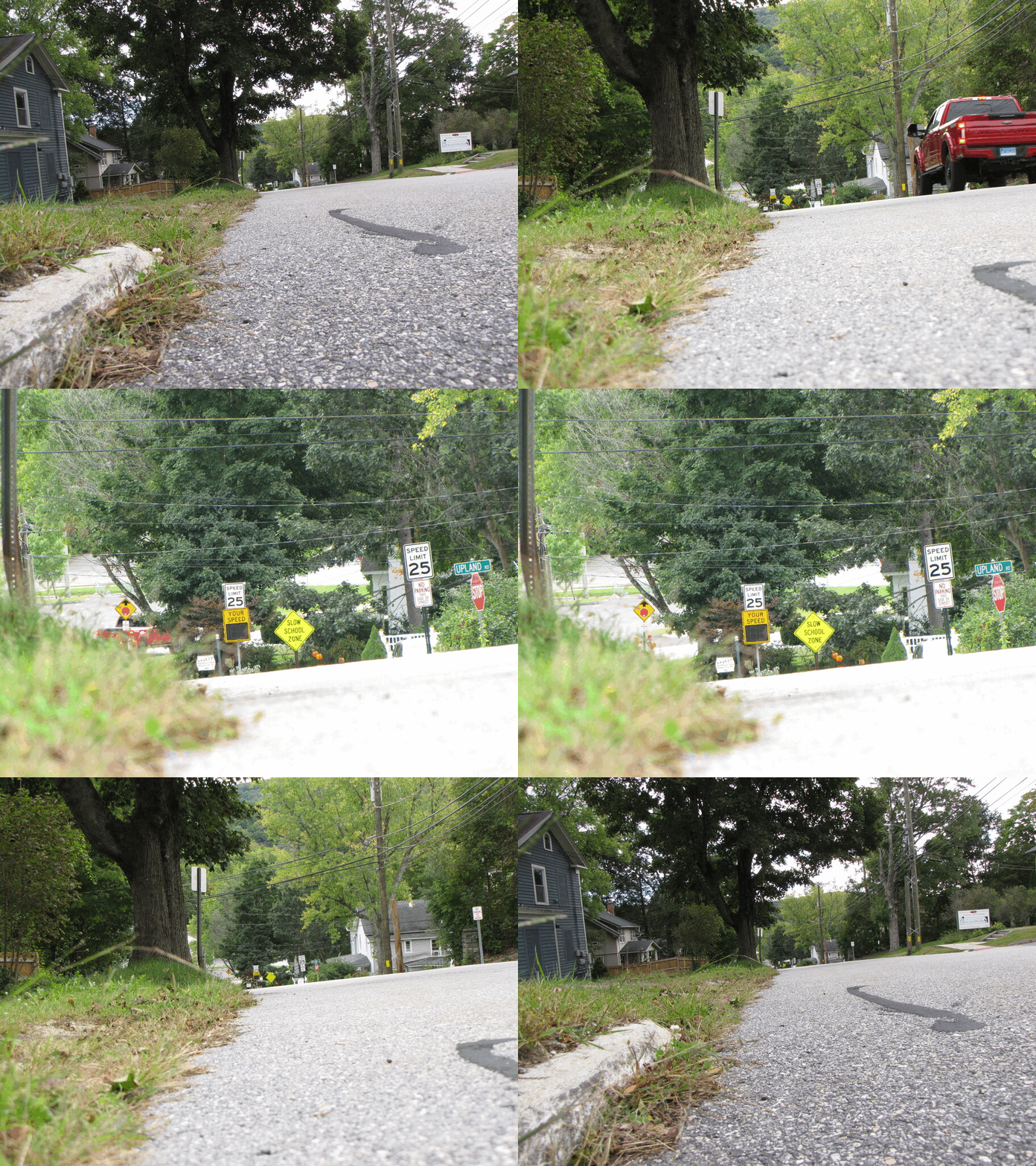
A Not-So-Still Life from Street Level: “YOUR SPEED RED TRUCK” – Street level because my tripod is 4″ tall. :D
Now I really kind of want a Powershot SX60 or SX70 HS, with the 65x Superzoom – 3 times the optical zoom and twice the megapixies of the SX10. That would be a *lot* of fun!
 Busssss-TED! My own personal Flock camera, except theirs can do 37x optical zoom @ 48mp. Mine only does 20x optical zoom @ 10mp. ):
The modified CHDK Script (copy as “zoomy.lua” to your SD card’s /CHDK/SCRIPTS/ directory):
–[[
@title Zoomy v01.
@chdk_version 1.4.1
@param z zoom incr +/-
@default z 1
@param ev Exposure Value
@default ev 0
]]— Enable Remote: false Enable script start: false
— (no conflict with USB usage)
— Press Shutter to start script— switch to shooting node
if ( get_mode() == false ) then
print(“switching to shooting mode”)
set_record(1)
while ( get_mode() == false ) do sleep(200) end
endset_zoom_speed(10)
zmax=get_zoom_steps()
print(“Max Steps:”,zmax )
zmax=zmax-1
direction=1repeat
— wait for USB power
print(“Zoom Step:”,get_zoom() )
— repeat
— sleep(50)
— if ( is_pressed(“video”) ) then
— return
— end
— until is_pressed(“remote”)press(“shoot_half”)
repeat
sleep(50)
until get_shooting() == trueav = get_av96()
if ( ev == 0 ) then
tv = get_tv96()
ev = av + tv
end— print(“A:T:E:”,av,tv,ev)
— set TV
set_tv96(ev-av)exp = get_exp_count()
— take exposure with “shoot”
shoot()while (get_exp_count() == exp) do
sleep(50)
endif ( direction > 0 ) then
znext=get_zoom()+z
else
znext=get_zoom()-z
endif (znext < 0 ) then
print(“zoom min”)
return
endif (znext > zmax) then
print(“zoom max – switching direction”)
znext=zmax
direction=0
— return
endset_zoom(znext)
i=1
while (get_zoom() ~= znext) do
i = i + 1
if (zmax >= znext + i) then
set_zoom(znext+i)
else
if (znext – i >= 0 ) then
set_zoom(znext-i)
else
break
end
end
set_zoom(znext)
enduntil is_pressed(“video”)
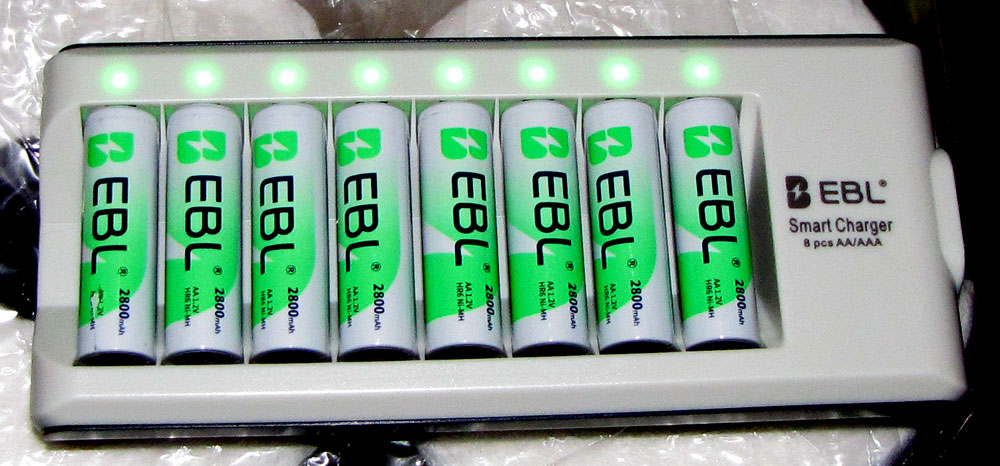 Everything super-green with the new rechargables! Now I can run battery-sucking projects like this and not fret about burning alkalines. Still can’t pull off an all-day timelapse, but that *always* needs mains power, or one heck of a Jackery. (:
Nice effect. I’ve always been afraid to mess around with hacking my cameras for fear of screwing ’em up. I know myself too well to try it. I recently fried my Alphasmart Neo trying to get it to print on an IBM Action writer typewriter via serial port. Very stupid thing to try.
I like the video. I am looking into an SZ10 after reading of all your fun with it. I also want to try the CHDK. I had a Canon Pocket camera in FL that I made into an IR by removing the filter and doing some hacking. I don’t know what happened to the camera. Like many things I did not double check at getting packed, it may have remained in FL.
I’m sure you will like the runtime you get from the NiMH AA cells. I use them in my off camera strobes.
You certainly should – these bridge-type Powershot super-zoom SX cameras are relatively cheap on the usual sites (often cheaper than the pocket ones) and are quite featureful. Just make sure the model you look for is CHDK compatible. Not all the Powershots are, though most are.
I’ve bee reading on the CHDK site on which cameras and firmware versions.
I like the SX10 (typo SZ) because it uses AA cells so if my NiMH cells are discharged I can still use alkalines. All my other digital cameras have proprietary batteries.
Between this morning and now Blogger updated the post time from 2 weeks to 15 hours.
I admit that the “AA” Battery situation was a big draw for me too on the SX10. All my Powershots take AA’s, another reason that I kind of specialized in them so far as what I’ve kept in the collection. Well, other than the Sonys, of course. They always gotta be different. Infolithiums and memory sticks for them. The 7×7’s are worth the hassle, though. :P
Heh, Brian Goode’s got an SX10 too – we can all form an SX10 club and swap CHDK scripts! :D
Right on!
Okay, I missed the video you’re referring to.
Might be referring to the zoomy animated gif. (:
Ah! My browser wouldn’t play it by default until I right clicked and selected play media. Thank you! That’s quite a zoom range.